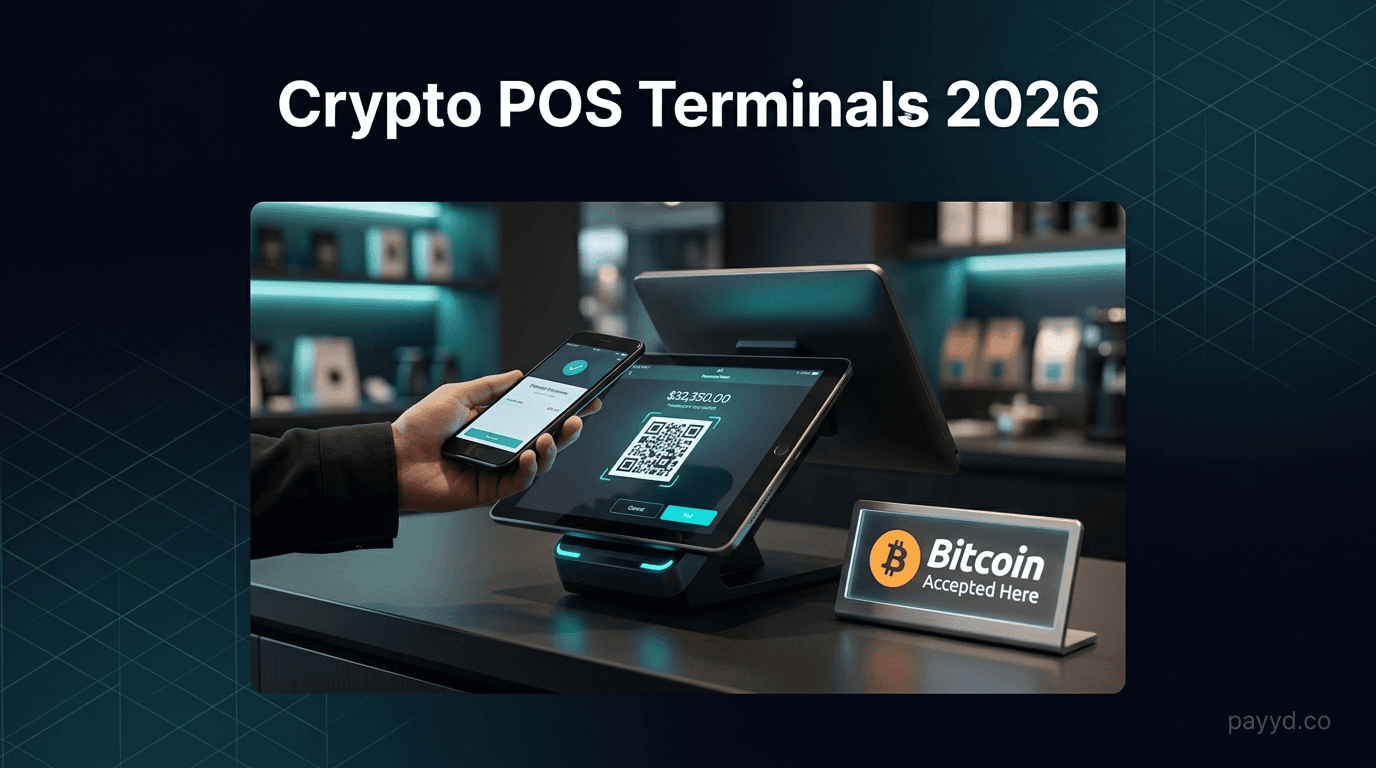
How to Accept Crypto Payments on iPhone 2026: Mobile POS Guide (No Hardware Needed)
Turn your iPhone into a crypto POS terminal in under 10 minutes. NOWPayments QR app, BitPay POS, BTCPay Server mobile, Strike, and Cryptomus mobile compared.
Key Takeaways
- Best all-rounder: NOWPayments [Gold tier], 0.5% fee, 300+ coins, QR generation from mobile dashboard, 10-minute setup
- Best for Bitcoin Lightning: Strike, sub-second confirmation, instant USD settlement, US merchant-focused, not in payyd's tier system
- Best self-hosted zero-fee: BTCPay Server [Bronze tier] mobile, 0% fees, Greenfield admin and point-of-sale plugin run from the iPhone browser
- Best enterprise iPhone POS app: BitPay POS [Bronze tier], native iOS app, 1% fee, BTC plus 5 stablecoins
- Cheapest hosted option: Cryptomus [Silver tier] at 0.4%, QR-based mobile POS via the Cryptomus iPhone app
- Hardware cost: $0. The iPhone you already own is a more capable payment terminal than a $400 Verifone
Table of Contents
Why iPhone is the cheapest crypto POS in 2026
A Verifone V200c costs about $400. A Clover Mini runs $799 plus a $14.95/month software fee. A Square Terminal is $299 with 2.6% + 10 cents per tap. Every one of those devices does roughly what your iPhone already does: display a QR code, listen for a network confirmation, print or email a receipt. The only thing the dedicated terminal adds is card-network compliance you do not need if you are accepting crypto.
In 2026 there are five iPhone-native ways to take crypto at a counter, a stall, a market booth, or a customer's driveway. Three are real apps in the App Store (BitPay POS, Strike, Cryptomus). Two are mobile-friendly web dashboards (NOWPayments, BTCPay Server) you open in Safari and bookmark to the home screen. All five do the same fundamental thing: take a sale amount in USD, convert to the chosen crypto at the live mid-market rate, generate a QR code, and confirm receipt on screen when the network sees the transaction.
The structural advantage over a card terminal is bigger than it looks. There are no monthly fees, no PCI compliance overhead, no chargebacks (see our crypto POS terminal guide for the full hardware comparison). The marginal cost of a transaction is the gateway fee (0% to 1%) plus a network fee that on Lightning or TRC-20 is fractions of a cent. A food truck selling 80 lunches a day at $15 average ticket pays about $30 a day in Square fees. The same 80 sales on NOWPayments at 0.5% cost $6. The Lightning version through Strike costs essentially zero.
The 5 apps that actually work
Plenty of crypto wallets claim "merchant" or "POS" features. Most are unusable in a real retail environment because they take 20 seconds to load, do not show a USD amount, or settle to a wallet you do not actually control. The five below have been tested by working merchants and survive the basic counter test: customer hands over phone-to-phone, payment confirms before the customer puts their wallet away.
| App | Tier | Fee | Coins | Best for |
|---|---|---|---|---|
| NOWPayments | Gold | 0.5% | 300+ | All-rounder, widest coin list |
| Strike | n/a | ~0% | BTC + Lightning | Sub-second Bitcoin, US-only merchants |
| BTCPay Server | Bronze | 0% | BTC, LN, altcoins | Self-hosted, freeze-proof |
| Cryptomus | Silver | 0.4% | 20+ | Cheapest hosted, USDT-heavy |
| BitPay POS | Bronze | 1% | BTC, BCH, ETH + 5 stables | Enterprise iOS app, brand recognition |
NOWPayments [Gold tier], the universal pick
NOWPayments does not ship a dedicated iOS app, and it does not need to. The mobile dashboard at nowpayments.io is fully responsive, generates an invoice QR in under two seconds, and refreshes the status in real time. Add it to your iPhone home screen and it behaves indistinguishably from a native app. The fee is 0.5% flat across 300+ coins. KYB is not required at signup; an email plus business name is enough to start. Full review at our NOWPayments review.
Why it wins for iPhone POS: the same dashboard works on a counter laptop, the iPhone in your apron pocket, and the iPad behind the till. One account, every device, every coin. Plus a Telegram bot fallback (@NOWPaymentsBot) if you ever need to take a payment from a phone with a flat battery and a borrowed handset. Primary CTA: Sign up for NOWPayments.
Strike, the Lightning-first US merchant pick
Strike is a US-licensed money transmitter that runs Bitcoin and Lightning rails with instant USD settlement. The merchant flow on iPhone is the cleanest in the entire category: open the Strike app, tap "Receive", type the USD amount, hand the phone to the customer. They scan with any Lightning wallet (Cash App, Wallet of Satoshi, Phoenix, Strike itself), the payment confirms in under a second, and Strike credits the merchant in USD at the spot rate. Fees are essentially zero on the merchant side (Strike pockets the small spread).
Strike is not in payyd's overall tier system because it is BTC and Lightning only, not a multi-coin gateway. But for a US food truck, market vendor, or coffee cart that wants the fastest possible counter experience, it is the right tool regardless of whether payyd earns a commission. Honesty over commission. Pair Strike with NOWPayments for altcoin acceptance and you cover essentially the entire crypto-paying population.
BTCPay Server [Bronze tier], the 0% self-hosted route
BTCPay Server is open-source, self-hosted, and non-custodial. The point-of-sale plugin generates a QR for any amount in any supported currency, and the Greenfield admin runs perfectly in Safari on iPhone (add to home screen for the app feel). Fees are zero, the only cost is the $5/mo VPS and a few minutes of Linux time to install. Bronze tier overall because it is not plug-and-play, but for merchants who want to pay no gateway fees ever, it is the only honest answer. Walkthrough at our BTCPay Server setup guide, gateway profile at btcpay-server.
Cryptomus [Silver tier], the cheapest hosted
Cryptomus runs the lowest published fee of any hosted gateway, 0.4% flat, with a dedicated iOS app that generates QR invoices in under a second. The trade-off vs NOWPayments is a narrower coin list (about 20 vs 300+) and a heavier USDT focus, but for a merchant whose customers mostly pay in USDT-TRC20 it is the cheapest realistic option. Silver tier because of the coin limitation, not because of pricing. Full review at Cryptomus review or the gateway profile at cryptomus.
BitPay POS [Bronze tier], the enterprise-feel native app
BitPay has been in business since 2011 and ships an actually polished native iOS app (BitPay Merchant). 1% fee. Supports BTC, BCH, ETH, plus USDC, USDT, GUSD, PYUSD, DAI. The UX is the most "card terminal-like" of any option here, useful for business owners who want their counter staff to feel they are using a normal POS rather than a crypto experiment. Bronze tier overall because the 1% fee is double NOWPayments and the coin list is narrow, but the brand and the app polish make it a credible enterprise pick.
Turn your iPhone into a crypto POS in 10 minutes
NOWPayments. 300+ coins. 0.5% fee. No hardware required.
Start Accepting Crypto →10-minute NOWPayments setup walkthrough
This walkthrough assumes a single-operator small business (food truck, market vendor, freelancer doing on-site work) using only an iPhone. No back-office server, no website integration, no plugins. Just the phone.
Step 1, Sign up (2 minutes)
In Safari on your iPhone, go to NOWPayments and create an account with your business email. No KYB documents required. Verify the email, log in. You are in.
Step 2, Add payout wallets (3 minutes)
In Settings, add at least three payout addresses: USDT-TRC20 (most common customer choice, 1-cent network fee), BTC (universal recognition), and optionally USDC-Polygon for stablecoin coverage. These are the addresses NOWPayments forwards customer payments to. Paste from your Trust Wallet, Phantom, or Ledger app.
Step 3, Add to home screen (30 seconds)
In Safari, tap the share icon, then "Add to Home Screen". The NOWPayments dashboard now lives as an icon next to your other apps. Tap it and it opens fullscreen, indistinguishable from a native app.
Step 4, Generate your first invoice (1 minute)
From the dashboard tap "Create Invoice", enter the USD price (say $20 for a coffee + sandwich), pick the coin the customer wants to pay in (or leave it as "customer choice" and they pick at checkout). NOWPayments returns a full-screen QR code in about two seconds. Show the QR to the customer.
Step 5, Confirm and serve (3-5 seconds for stablecoins)
The customer scans the QR with their wallet, confirms the amount, taps Send. The dashboard auto-updates from "Awaiting" to "Confirming" to "Paid". For USDT-TRC20 this takes 3-5 seconds. Hand over the coffee. Done. The next sale starts with a single tap on "Create Invoice" again.
Total setup time from a cold start is about 10 minutes including signup and wallet pasting. From the second sale onward, generating a new invoice and confirming it takes about 15 seconds end-to-end. That is faster than a Square chip-card insert, which averages about 22 seconds, and it costs you 10 cents on a $20 sale instead of Square's 62 cents. For more on this comparison see our how to accept Bitcoin payments guide.
Lightning for sub-second small-ticket sales
For sales under $50 the right rail is almost always Lightning. On-chain Bitcoin confirmation takes 10-30 minutes for a single block, which is unworkable at a counter. Stablecoins on TRC-20 or Polygon take 3-15 seconds, which is fine for most things. But Lightning is in a different class: a Lightning payment confirms in 200-800 milliseconds, faster than a credit card tap. For a coffee shop or food truck doing 80+ tickets a day, that speed difference adds up to real time savings.
Two iPhone-native options cover Lightning. Strike is the cleanest: type the USD amount, show the QR, payment confirms in under a second, Strike credits your merchant balance in USD at spot. US merchants only. BTCPay Server with the Lightning module configured does the same thing but self-hosted, available worldwide, and at 0% fees. The BTCPay setup is more technical (you run a Lightning node alongside the BTCPay server, or you use LNbits as a custodial bridge) but the operational result is identical: sub-second confirmation, micro-cent fees. See our Lightning Network payments guide for the node setup detail.
The honest recommendation for a small US merchant doing high-frequency low-ticket sales: run Strike as the primary Lightning rail (because it is operationally trivial) and NOWPayments alongside for customers who insist on paying in altcoins or stablecoins. Most counter sales settle through Strike in under a second. The minority of altcoin-paying customers route through NOWPayments at 0.5%. The blend ends up costing roughly 0.2% across all sales, an order of magnitude cheaper than card processing.
Fees on a real day's sales (coffee shop math)
Three concrete scenarios, same five gateways, real fee math. The numbers below are what each app would charge on a typical small-business day. The benchmark is Square's 2.6% + 10 cents per tap, which is what most US small businesses pay today.
| Sale size | NOWPayments [Gold] | Strike | BTCPay [Bronze] | Cryptomus [Silver] | BitPay [Bronze] | Square (fiat) |
|---|---|---|---|---|---|---|
| $20 coffee + sandwich | $0.10 | ~$0.00 | $0.00 | $0.08 | $0.20 | $0.62 |
| $200 dinner check | $1.00 | ~$0.05 | $0.00 | $0.80 | $2.00 | $5.30 |
| $2,000 sale (booking, retainer) | $10 | ~$0.50 | $0.01 | $8 | $20 | $52.10 |
Crypto savings vs Square on a 80-ticket coffee shop day (average $12 ticket, $960 daily revenue): Square charges roughly $33/day, NOWPayments at 0.5% charges $4.80, BTCPay or Strike charge essentially zero. Over a year that is $10,000+ in pure fee savings on a small coffee shop. For the broader fee landscape see our best crypto payment gateways 2026 roundup.
Pick by use case (food truck vs market vs salon)
"I run a food truck or coffee cart, lots of small tickets"
Strike (US) or NOWPayments [Gold tier] with Lightning enabled. The under-second confirmation is what matters when you have a line of 12 people waiting. On 80 tickets a day at $12 average, fees go from $33 (Square) to under $5 (NOWPayments) to essentially zero (Strike Lightning). That is hundreds of dollars a week back in your pocket.
"I sell at weekend markets and craft fairs"
NOWPayments [Gold tier]. The 300-coin support matters at markets because crypto-friendly market customers tend to be opinionated about which coin they hold. The mobile dashboard works on patchy 4G, and the QR-based flow means no card reader to lose or have a flat battery. Pair with Strike if you are in the US and want Lightning speed for the impulse $10-$30 sales.
"I run a salon or barber shop, fewer but bigger tickets"
NOWPayments [Gold tier] with USDT-TRC20 as the default. A $120 cut-and-color settles for 60 cents in fees vs Square's $3.22. The 3-5 second confirmation is fine for a salon (the customer is already settled, not in a queue). For repeat clients, generate a reusable crypto payment link in NOWPayments and text it to them, no in-person QR needed.
"I'm a freelance plumber, electrician, or contractor doing on-site work"
NOWPayments [Gold tier]. Big-ticket on-site sales ($500-$5,000 repairs) save the most in absolute dollars: a $2,000 sale costs $10 in fees instead of Square's $52. The on-the-driveway QR flow works without an internet connection (the customer's wallet handles broadcasting), and you get paid before you leave the property.
"I want zero gateway fees and run my own infrastructure"
BTCPay Server [Bronze tier]. The point-of-sale plugin plus a Lightning node gets you to 0% fees on every sale. $5/mo VPS cost, an afternoon of setup, and your iPhone Safari is the POS. Bronze tier overall because of the technical lift, but for high-volume operators it is the lowest-cost answer that exists.
"I want a native iOS app that feels like Square"
BitPay POS [Bronze tier]. The most polished native iOS experience in the category. 1% fee is double NOWPayments but the app feel is closer to what counter staff are used to. Coin list is narrower (BTC, BCH, ETH plus 5 stables) but covers the most-paid options. Bronze tier overall reflects the fee and coin trade-off vs Gold-tier alternatives.
FAQ
Can I accept crypto on iPhone without extra hardware?
Yes. NOWPayments, BitPay POS, BTCPay Server, Strike, and Cryptomus all run as iPhone apps or mobile dashboards. Show a QR on screen, customer scans, payment confirms in seconds. No Square reader, no Verifone terminal, no Clover. The iPhone you already own is the POS.
What is the best iPhone app to accept crypto in person?
For most small businesses, NOWPayments at 0.5% with 300+ coins. For Lightning-only Bitcoin acceptance with sub-second confirmation, Strike. For self-hosted zero-fee, BTCPay Server. Match the pick to the use case, there is no flat winner.
How long does a crypto payment take at the counter?
Lightning confirms in under a second. USDT-TRC20 in 3-5 seconds. Stablecoins on Polygon or BNB Chain in 5-15 seconds. On-chain Bitcoin takes 10-30 minutes, which is unworkable for in-person sales, so most merchants either use Lightning for BTC or stick to stablecoins.
What does a $20 crypto payment cost the merchant?
NOWPayments charges 10 cents (0.5%). BitPay POS charges 20 cents (1%). Cryptomus charges 8 cents (0.4%). BTCPay Server charges 0 cents (just a 1-3 cent network fee). Strike Lightning charges essentially zero. Compare to Square at 62 cents on the same $20 sale.
Do customers need to install anything to pay me?
They need a crypto wallet (Trust Wallet, MetaMask, Cash App, Strike, Phantom, Wallet of Satoshi for Lightning). Most crypto holders already have one. They open it, scan your QR, confirm. Total customer-side flow is 15-30 seconds for stablecoins or under a second on Lightning.
Is iPhone crypto POS legal in the US?
Yes. Accepting crypto as a US business is legal in all 50 states. You report USD-equivalent revenue on Schedule C or the equivalent business return. The IRS treats crypto as property, so each sale also creates a small capital gain or loss between receipt and conversion. Strike and other US-licensed apps handle this conversion automatically.
Affiliate disclosure: payyd.co earns a commission when readers sign up for NOWPayments and Cryptomus through our /go/ links. We recommend Strike and BTCPay Server, options we earn nothing from, when they are the right fit for the reader (notably Lightning-first US merchants and self-hosted operators). Our gateway tiering reflects payyd's editorial criteria, not commission rates.