BTCPay Server Review 2026 — Free Open-Source Payment Processor
In-depth BTCPay Server review: zero fees, self-hosted, open source, non-custodial. Setup guide, pros and cons, and who it is actually for in 2026.
TL;DR — BTCPay Server Review
BTCPay Server is the only crypto payment gateway with genuinely 0% fees — forever. It is open source, self-hosted, and non-custodial. The catch: you need technical skills to deploy and maintain it. If you can handle a VPS, nothing beats it on cost or sovereignty.
BTCPay Server is the only crypto payment gateway that charges absolutely nothing — 0% transaction fees, forever. No catch, no premium tier where the real features live, no bait-and-switch. It is fully open source (MIT license), self-hosted, and non-custodial. You deploy it on your own server, connect your own wallet, and every satoshi goes directly to you.
But "free" comes with a cost: your time and technical skill. This review covers what BTCPay Server actually delivers in 2026, who should use it, and who should pick a hosted alternative instead.
What Is BTCPay Server?
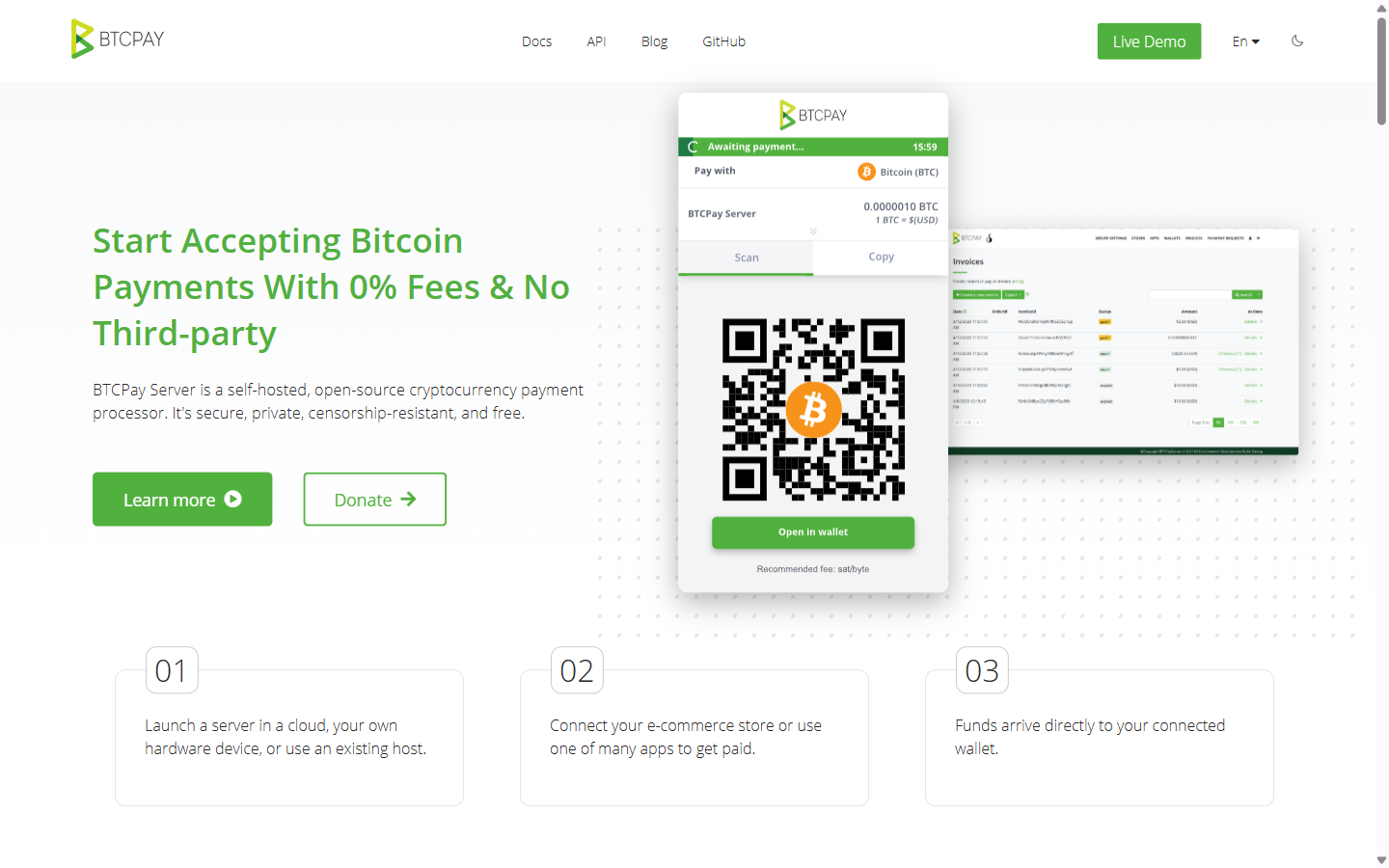
BTCPay Server is an open-source, self-hosted cryptocurrency payment processor. It was created in 2017 by Nicolas Dorier as a direct response to BitPay's policies, and it has since grown into the most respected payment infrastructure project in the Bitcoin ecosystem.
You install BTCPay Server on a VPS or bare-metal server. It connects to a full Bitcoin node (which it can run for you) and generates unique payment addresses for each transaction. When a customer pays, the Bitcoin goes directly from their wallet to yours. BTCPay never touches the funds — it just monitors the blockchain and notifies your e-commerce platform when payment is confirmed.
Key Features
Zero Transaction Fees
This is not a promotional rate or a limited-time offer. BTCPay Server will never charge you a transaction fee because there is no company behind it collecting fees. The software is free. Your only costs are server hosting (~$10-$30/month for a VPS) and blockchain network fees paid by the sender.
At $50,000/month in sales, a 0.5% gateway saves you $250/month over a 1% gateway. BTCPay saves you the full $500 that a 1% gateway would charge. Over a year, that is $6,000 in pure savings — and it scales linearly. The more volume you process, the more BTCPay saves you.
Self-Hosted and Non-Custodial
Your server, your keys, your funds. No third party can freeze your account, hold your payments, or require additional verification mid-transaction. This is complete payment sovereignty — something no hosted gateway can offer regardless of their marketing claims.
Lightning Network Support
BTCPay Server supports Lightning Network payments natively, enabling instant Bitcoin transactions with near-zero network fees. This solves Bitcoin's biggest UX problem for payments: nobody wants to wait 10-60 minutes for confirmation when buying a $20 product. With Lightning, confirmation is instant.
Built-in POS Terminal
BTCPay includes a point-of-sale app that runs in any browser. Display it on a tablet at your checkout counter and customers can pay by scanning a QR code. It supports itemized menus, tipping, and custom amounts. Few hosted gateways offer POS functionality — BitPay and CoinGate are the only others on our list.
E-Commerce Plugins
BTCPay Server has plugins for:
- WooCommerce — the most mature plugin with full feature support
- Shopify — works via BTCPay's Shopify app
- Magento — community-maintained plugin
- PrestaShop — official plugin available
- Drupal — Drupal Commerce integration
White-Label Checkout
BTCPay's checkout page is fully customizable. Change colors, logos, and layout to match your brand. Since you host it yourself, the checkout URL is on your domain — building trust with customers who might be wary of redirects to third-party payment pages.
Mass Payouts
BTCPay Server supports payment batching and payjoin, letting you send payments to multiple recipients in a single transaction. Useful for paying contractors, affiliates, or suppliers in Bitcoin.
Setup Guide Overview
BTCPay Server is not a one-click install, but it is not as intimidating as it once was. Here is the realistic setup path:
Option 1: LunaNode One-Click Deploy (Easiest)
- Go to btcpayserver.org and click "Deploy"
- Select LunaNode as your hosting provider
- Choose a plan (minimum 4GB RAM, ~$20/month)
- BTCPay provisions the server, installs everything, and syncs the Bitcoin blockchain
- Blockchain sync takes 1-3 days for a full node
Option 2: Docker on Any VPS
- Spin up a VPS (4GB+ RAM, 100GB+ SSD) on DigitalOcean, Hetzner, or any provider
- SSH into the server
- Run the BTCPay Server Docker deployment script (3 commands)
- Configure your domain and SSL via the admin panel
- Wait for blockchain sync
Option 3: Third-Party Hosting
Services like Voltage and Embassy offer managed BTCPay Server hosting. You get the benefit of BTCPay without managing the server yourself — but you lose some sovereignty since the hosting provider can theoretically access your server.
Supported Cryptocurrencies
This is where BTCPay Server shows its primary limitation. It supports:
- Bitcoin (BTC) — full support including Lightning Network
- Litecoin (LTC) — full on-chain support
- Monero (XMR) — privacy-focused payments
- Ethereum (ETH) — via plugin
That is it. No USDT, no USDC, no Solana, no BNB. If your customers want to pay with stablecoins or altcoins, BTCPay Server is not the right choice. For multi-coin support, look at NOWPayments (300+ coins) or Coinremitter (50+ coins).
Pros and Cons
Pros
- Zero transaction fees — permanently free
- Fully open source — MIT licensed, auditable code
- Non-custodial — funds go directly to your wallet
- Self-hosted — no third party can freeze your account
- Lightning Network — instant Bitcoin payments
- POS terminal — works for physical retail
- No KYC — no identity verification required
- Active community — regular updates, strong documentation
Cons
- Requires self-hosting — VPS costs ~$10-30/month, needs maintenance
- Limited altcoin support — only BTC, LTC, XMR, ETH
- No subscription billing — cannot handle recurring payments natively
- No fiat settlement — you receive crypto, not USD
- Blockchain sync takes 1-3 days initially
- No dedicated customer support — community forums only
- No affiliate program — no revenue sharing for referrals
Who Should Use BTCPay Server?
Ideal for:
- Businesses processing significant Bitcoin volume who want to eliminate gateway fees
- Merchants in jurisdictions where KYC-required gateways are not accessible
- Technical teams or businesses with dev resources for server management
- Privacy-focused businesses that do not want any third party in the payment flow
- Physical retail businesses that need a POS terminal
Not ideal for:
- Non-technical merchants who cannot manage a server
- Businesses that need to accept dozens of altcoins or stablecoins
- SaaS companies needing subscription billing
- Merchants who need fiat settlement (receive USD)
BTCPay Server vs Alternatives
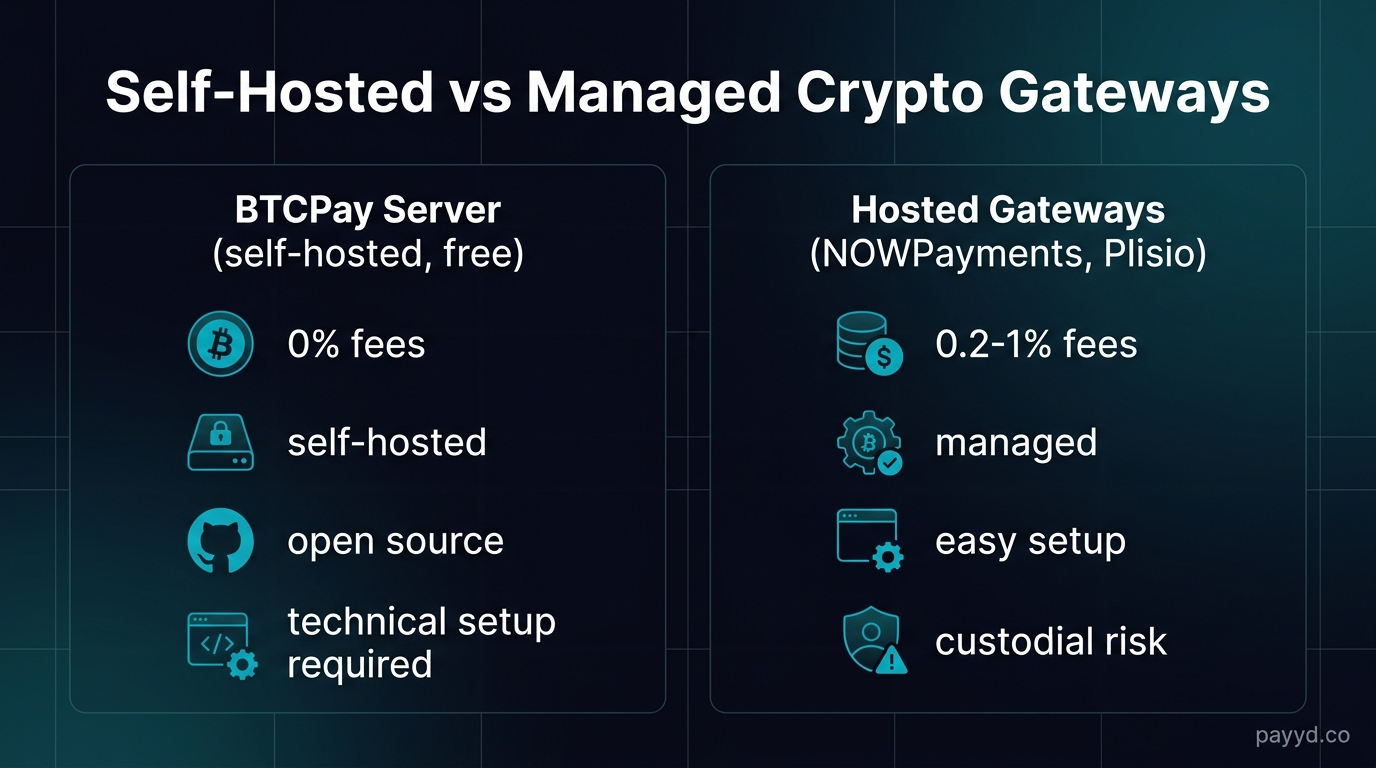
For the full picture, see our best open-source crypto gateway comparison.
Find the Right Crypto Payment Gateway
Compare fees, features, and KYC requirements across 12 gateways.
Browse All Gateways →Frequently Asked Questions
Is BTCPay Server really free?
Yes. The software is free and open source (MIT license). You pay only for server hosting — typically $10-30/month for a VPS. There are no transaction fees, no percentage-based charges, and no premium tiers.
Can I use BTCPay Server without technical skills?
It depends on your comfort level. The LunaNode one-click deployment handles most of the complexity, but you still need basic server administration knowledge for maintenance and troubleshooting. If SSH and Docker are unfamiliar concepts, consider a hosted gateway like NOWPayments instead.
Does BTCPay Server support stablecoins like USDT?
Not natively. BTCPay Server supports BTC, LTC, XMR, and ETH. For stablecoin support, you need a hosted gateway.
How does BTCPay Server compare to BitPay?
BTCPay was literally built as a BitPay alternative. BTCPay is free, open source, non-custodial, and requires no KYC. BitPay charges 1%, is proprietary, custodial, and requires full KYC. BitPay's advantage is fiat settlement and enterprise support. Choose BTCPay for sovereignty, BitPay for convenience.
Can I accept Lightning Network payments with BTCPay Server?
Yes. BTCPay Server has native Lightning support. Payments are instant and cost a fraction of a cent in network fees. This is the best way to accept Bitcoin for small-value transactions.